Motivation 💡
- To get hands-on experience working with a modern ELT tech-stack that incorperates dbt and a cloud platform.
- To enhance the reporting provided out-of-the-box by Strava.
- Define my own sport-specific metrics to benchmark different aspects of my training (i.e. volume, intensity and performance).
- Aggregate my activity metrics across multiple sports and custom training periods (e.g. 6w, 13w, 26w, 52w).
- Create my own custom activity types, such as intervals (road/track/virtual) and races (road/XC/virtual), to filter and group my activities.
Project Plan 🤓
- Use the Strava API to collect my personal running data. ✅
- Use a cloud-based data warehousing platform to store the data. ✅
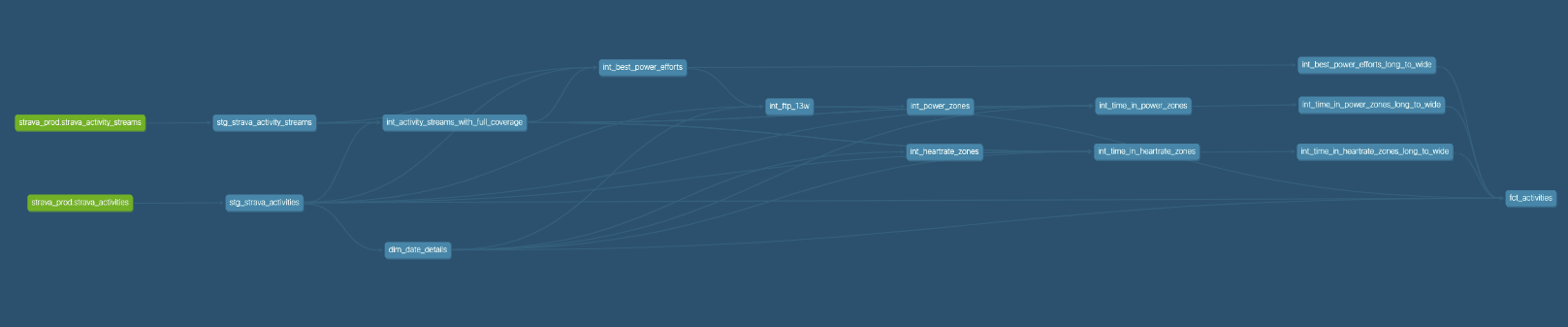
- Use DBT to transform, test and document the data. ✅
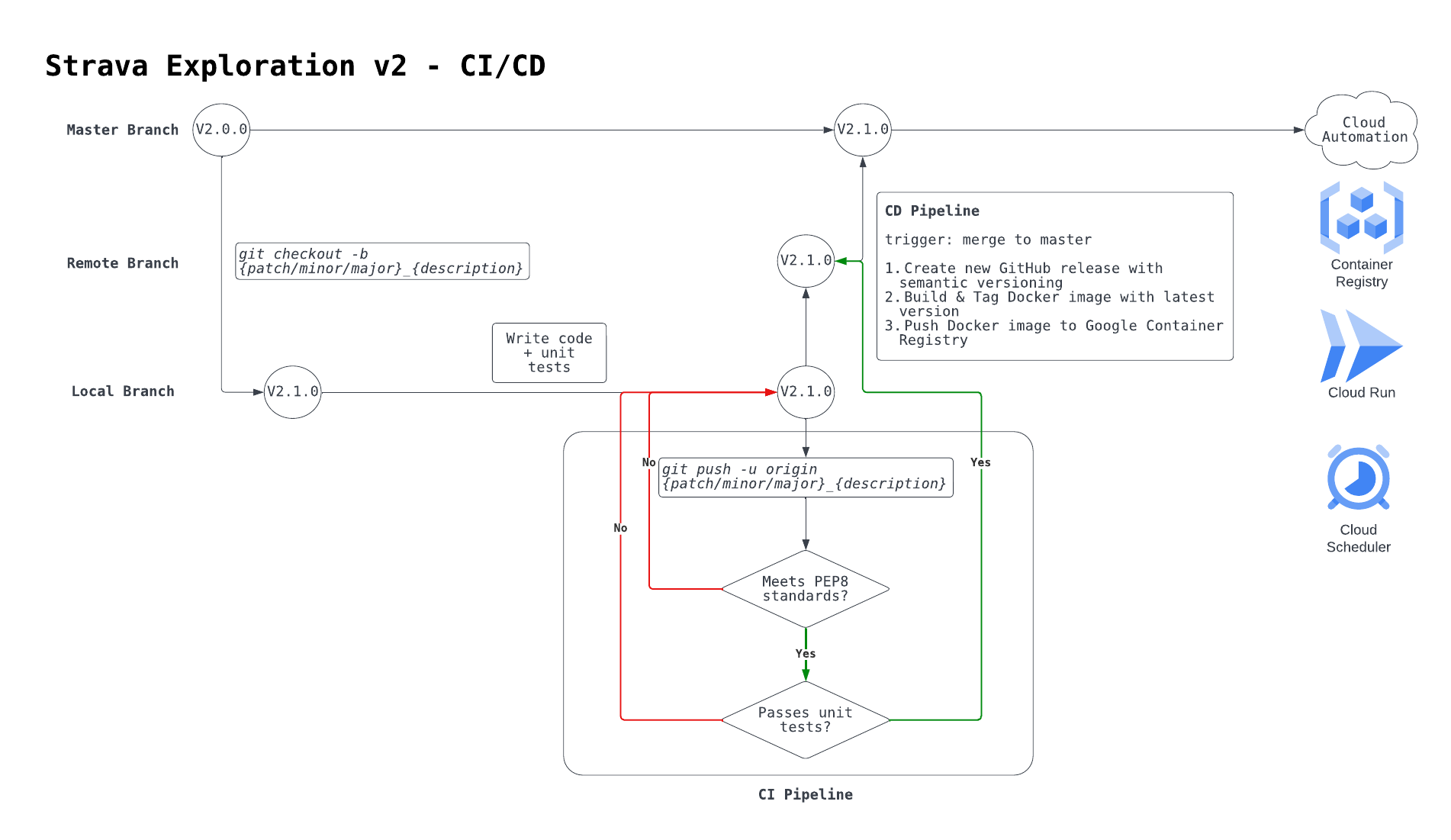
- Use CI/CD to automate the deployment flow. ✅
- Use cloud automation to refresh the data daily. ✅
- Use a browser-based reporting tool to vizualise the data. 🚧
Tech Stack 👨💻
- Python
- GCP
- Cloud Storage
- Big Query
- Container Registry
- Cloud Run
- Cloud Scheduler
- GitHub Actions
- Docker
- dbt
- Streamlit
Data Pipeline
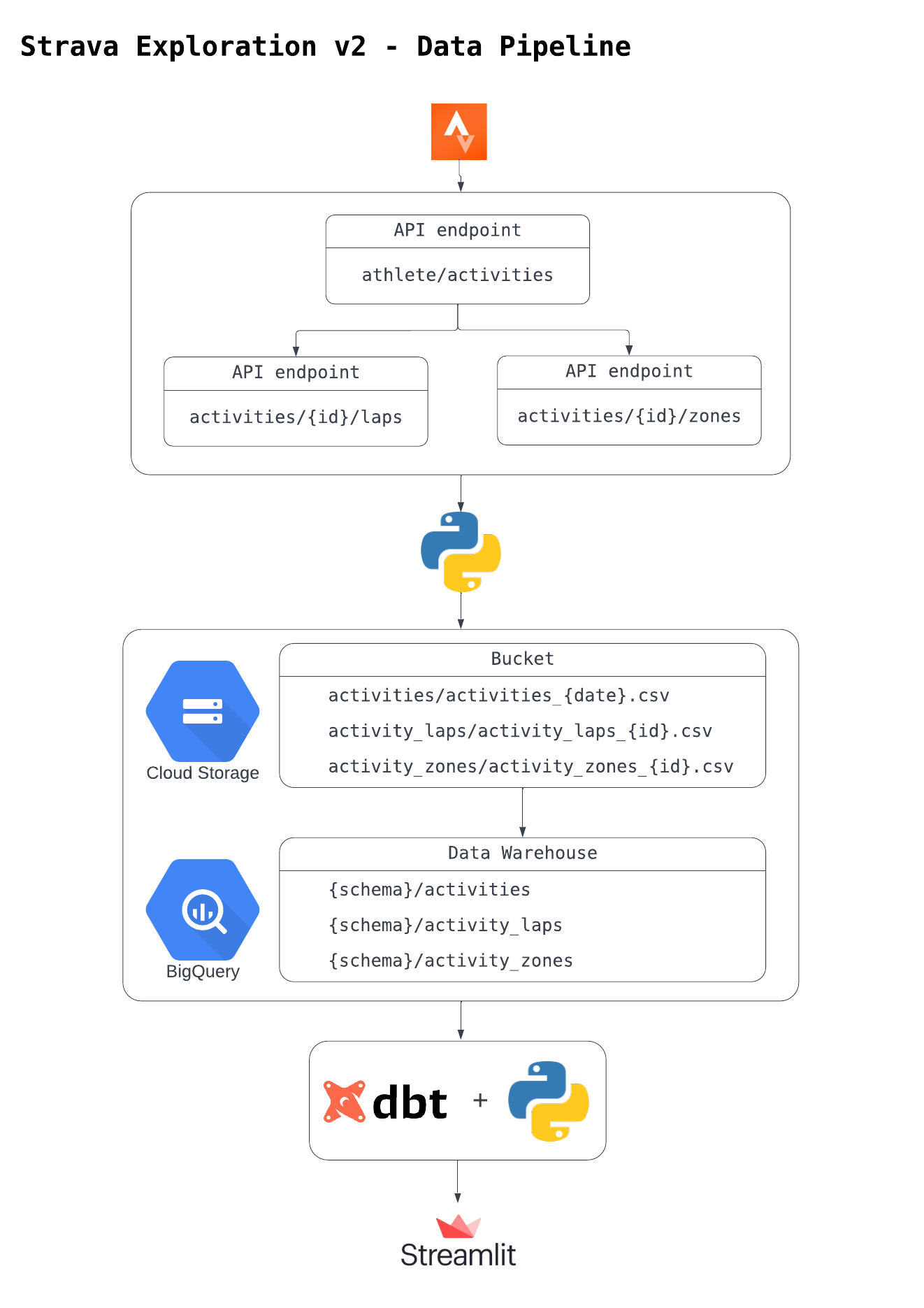
TODO: add activity streams endpoint
CI/CD
DBT Lineage 🗄️
Steamlit Web App
Future Optimisations 🚀
- In-corperate activity streams data source into data model. ✅
- Define custom HR, power and pace zones that update dynamically over time.
- HR -> age
- power -> FTP
- pace -> 5k race times
- Calculate time in HR, power and pace zones.
- Calculate best 15”, 1’, 5’, 10’ and 20’ power efforts.
- Define custom HR, power and pace zones that update dynamically over time.
- Extend DBT functionality across project.
- Use Jinja, Macros & Packages to re-factor code.
- Use advanced materialisation types to optimise build/query time.
- Use data quality tests to improve data integrity + source freshness.
- Use the semantic layer to build consistent and flexible mertics.
- Migrate DWH from BigQuery to Snowfake.
- Use snowpipe to load data directly from GCS bucket on event.
- Apply data modelling best practices.
- Create activity-level views in Streamlit app.